Take care of it from Manage.
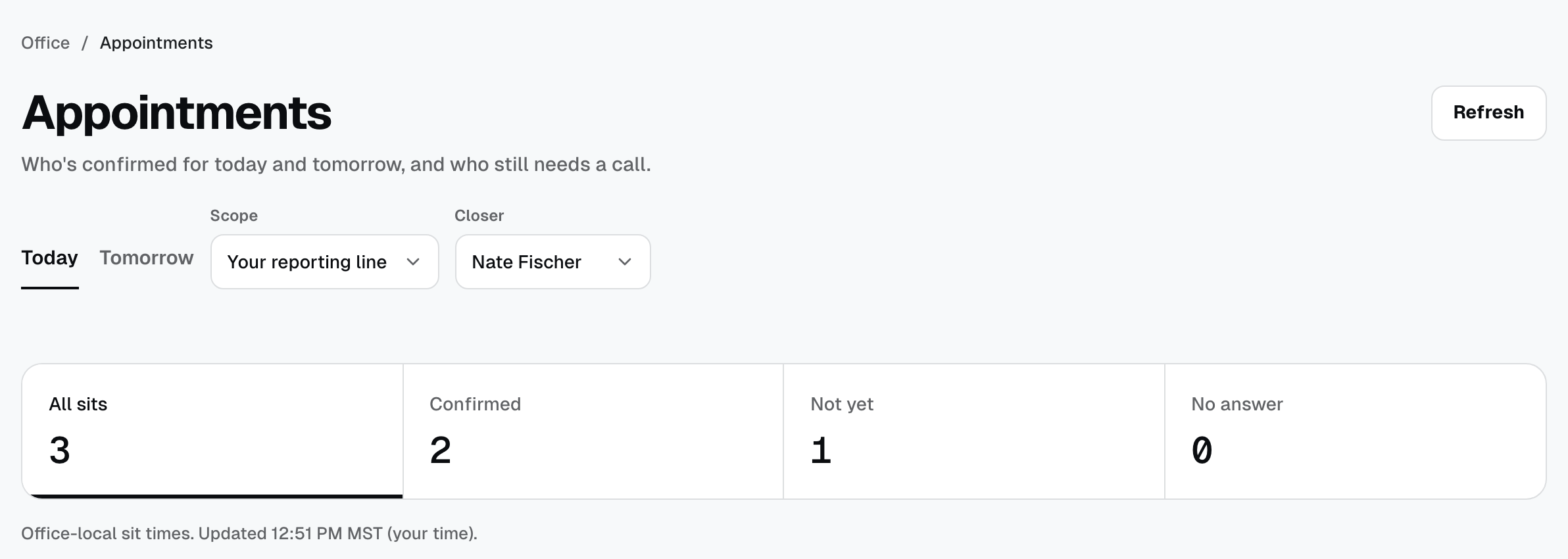
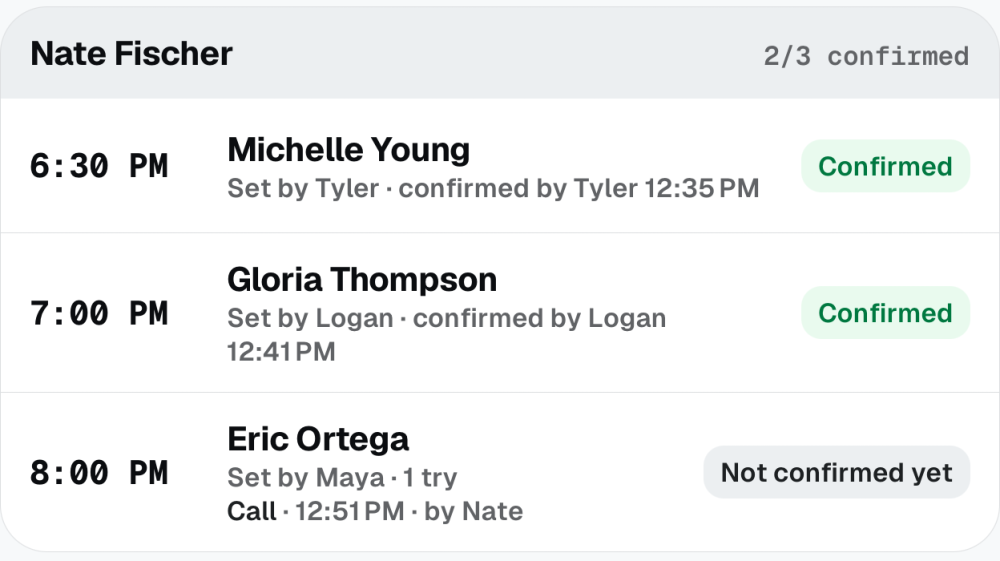
Resend invitations and record Confirmed or No answer without leaving Manage. Confirmation changes have Undo.


Your reps’ credit stays theirs. Every sit, visible from the office.
See the working dayYour leader sets up the car. The driver gives each rider their turf.
1 driver · 3 riders
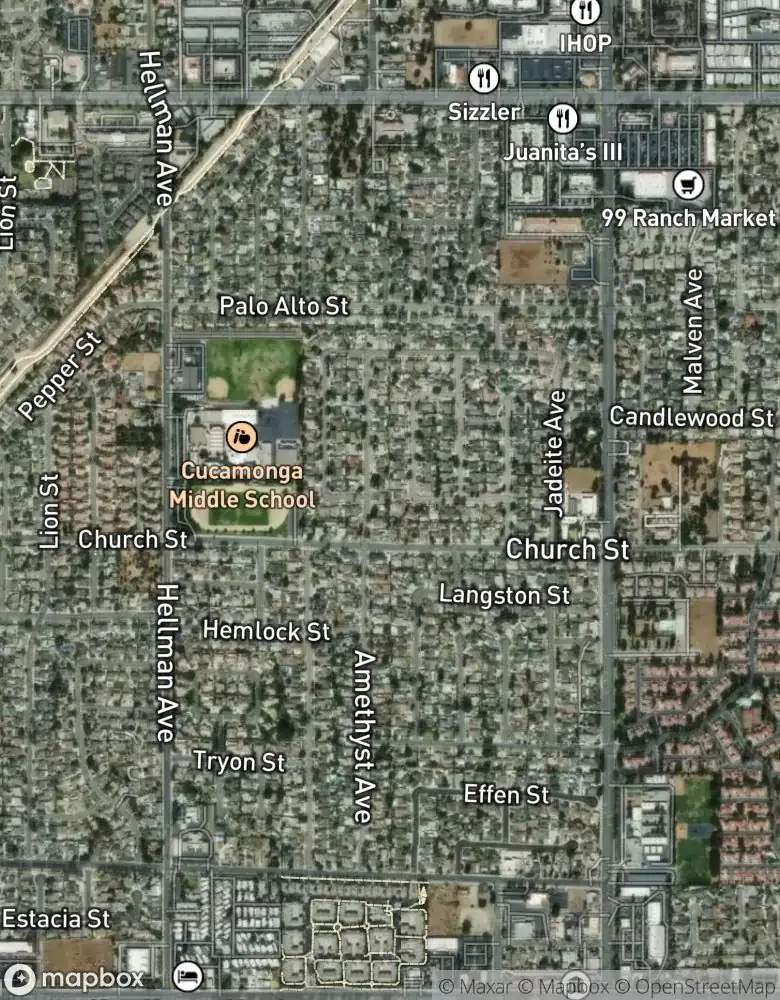
Car-group illustration on a real area. Fictional crew and rider turfs.
© Maxar · © Mapbox · © OpenStreetMap
Actual app screens · Demo data.
Each rep can see their season’s work in Field Record.
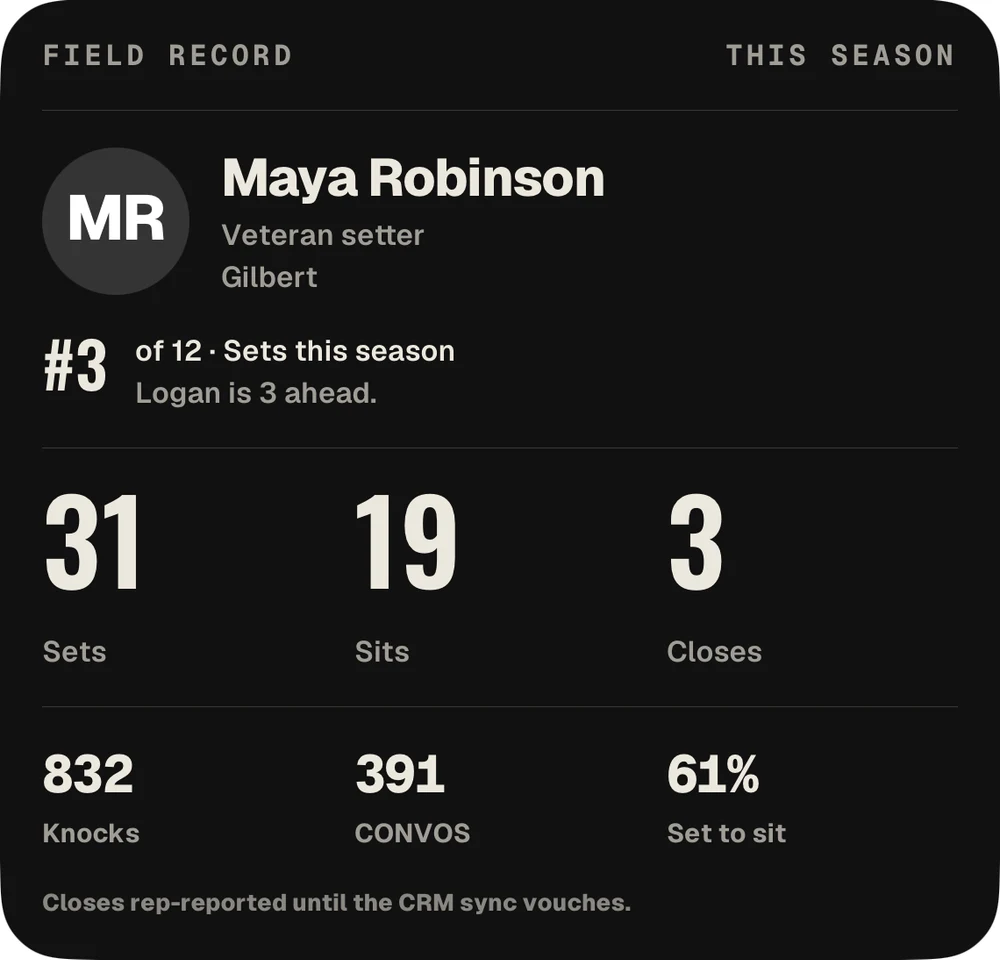
See who set each sit, who’s closing it and whether it’s confirmed.

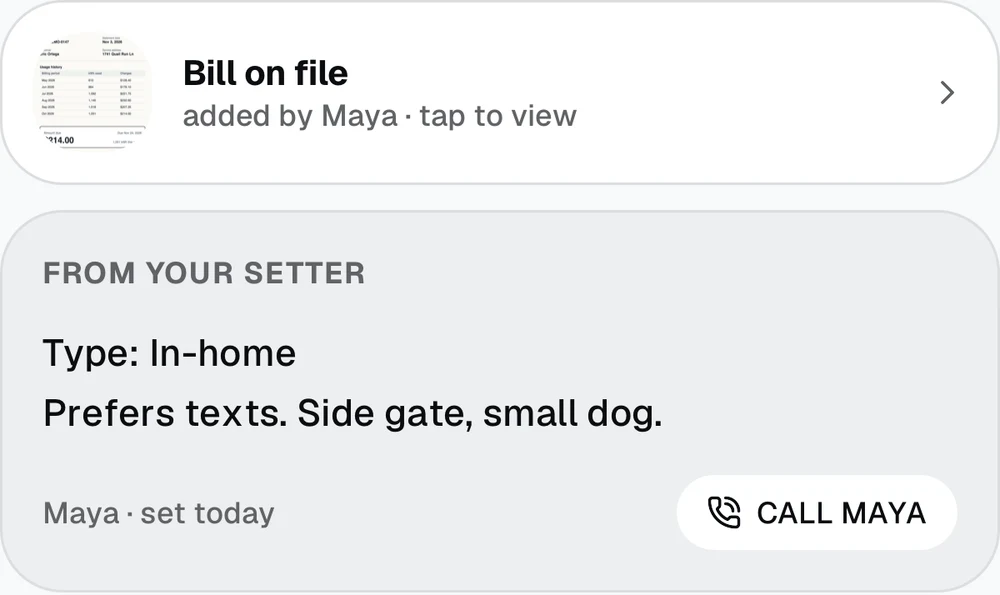
The time, homeowner details, bill and notes come together before the booking is saved.
“Prefers texts. Side gate, small dog.”


Nate opens Eric’s sit with the bill and the notes Maya recorded.
See who’s confirmed and who still needs a call.
Text templates, when your company enables them. The rep reviews and sends from their own phone.
Grrid™ is on the App Store for iPhone and iPad. Your company provides your account by invitation. Bringing a new company? Request a walkthrough for your company.

Resend invitations and record Confirmed or No answer without leaving Manage. Confirmation changes have Undo.
Build and manage car groups on the phone and in the office. Drivers see their current riders’ last-known positions and assign rider turf inside the car’s area. Area directors and above draw the car’s area within their scope.
Ask for new turf from My turf. Leaders review requests and rep numbers in Manage, then keep reps working or prepare and assign new turf.
Owners and divisionals connect Enerflo, match offices and people, and send a test customer. Confirmed sits send once sending is turned on.
Planned work, not available today.
When a sit no-shows, needs a new time or a follow-up comes due, the app tells the rep, and one tap opens a ready-to-send text from their own phone.
Hold to talk on the porch. The phone transcribes on the device and suggests the knock result. Audio never leaves the phone.
Five lines before every sit, each tied to the knock or note it came from.
Shared APIs and webhooks are planned. Availability, supported events and connections still need to be defined.
Door-to-door sales reps and the leaders who support them. Grrid is built around residential solar field work: turf, knocks, sets and sits.
Grrid connects the field workflow. Proposals, financing and the rest of your CRM workflow stay in the tools that handle them.
For signed-in people, database rules scope access to their company and permitted records. Leaders manage offices, teams and leadership within their scope. Self-serve organization signup is not available yet.
Shared APIs and webhooks are planned. Availability, supported events and connections still need to be defined.
Not yet. Voice knock notes and closer sit briefs are listed under What’s coming next, each labeled Coming soon.
Grrid is publicly available on the App Store for iPhone and iPad. Your company provides your account by invitation. Downloading the app does not create an account. New company? Request a walkthrough for your company through the waitlist. There is no self-serve signup. Android is not available yet.
Walk through how your team sets a sit, gets it to a closer and keeps the office informed.